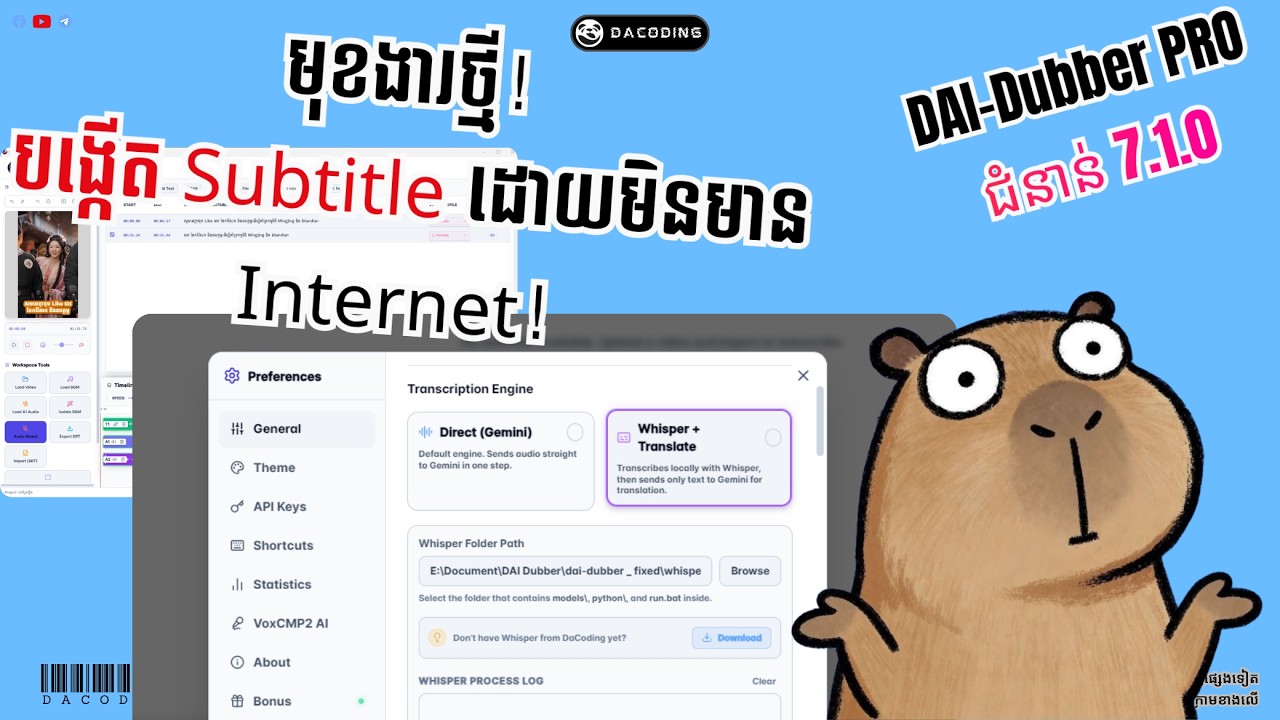
Khmer Edition PRO · Multi-Language Dubbing Workspace

Dub. Transcribe.
Publish. Instantly.

A professional desktop workspace built for Khmer content creators — turn any video into a fully dubbed, captioned masterpiece in minutes.

Get DAI Dubber Pro Explore Features →
PRO Version · Windows Desktop App  ·  Free version also available
📹 video_01.mp4
📹 video_02.mp4
📹 tutorial_03.mp4
+ Add
📁▾
↶
↷
≣2
EN ខ្មែរ
☀️
⚙️
Video Preview
⇄
↕
⊡
↺
T
🖼
🎨
◉
No video loaded
សួស្ដីអ្នករាល់គ្នា
00:00.00
▶
■
00:30.00
Workspace Tools
📂Load Video
🎵Load BGM
✨Isolate BGM
🎙️Mute Audio
📤Export SRT
📥Import SRT
🔲Add Blur Box (Censor)
🛡 Ready to Render?
🎬 Final Render
Subtitle Data
+ Add Text
✏ Edit
🗑 Delete
Set all voices to:
Male
Female
☑ Start End Khmer Text (Editable) Voice Profile Audio Status
00:00:02,000 00:00:05,000 សួស្ដីអ្នករាល់គ្នា ✓ Ready
00:00:06,000 00:00:10,000 ខ្ញុំមកពីភ្នំពេញ ✓ Ready
00:00:11,000 00:00:15,000 ថ្ងៃនេះយើងនឹងបង្ហាញ... ⏳ Pending
Timeline Editor
Zoom:
🌐 Khmer ▾
✨ Transcribe
⚡ Auto-Fit: OFF
🔗 Sync End
🎵 Generate Audio
0s 5s 10s 15s 20s
T1
A1
Render Queue
video_01.mp4 ✓ Done
video_02.mp4 ⚙ 47%
tutorial_03.mp4 ⏳ Queue
AI Voice Generation
Multi-Language Subtitles
Timeline Editor
Background Music Isolation
9-Language Transcription
SRT Import & Export
Video Crop & Flip
Text & Image Overlay
Blur / Censor Tool
Final Render Export
Dark & Light Themes
Free Desktop App
Multi-Project Tabs (up to 5)
Render Queue
AI Voice Generation
Multi-Language Subtitles
Timeline Editor
Background Music Isolation
9-Language Transcription
SRT Import & Export
Video Crop & Flip
Text & Image Overlay
Blur / Censor Tool
Final Render Export
Dark & Light Themes
Core Features

Everything you need
in one workspace.

Built from the ground up for Khmer creators who want professional results — without complicated workflows or technical experience.

🎙️
AI Voice Generation

Type your subtitle text and the app instantly generates a natural, clear voice-over — no recording equipment or studio needed. Choose between male and female voices and adjust the speed and volume for each line individually.

AI Powered
✨
Smart Auto-Transcription

Load your video and the app automatically transcribes the speech into subtitles. Supports 9 languages — Khmer, English, Spanish, French, Chinese, Japanese, Korean, Thai, and Vietnamese — ready for you to review and edit.

Auto-Transcribe
⏱️
Visual Timeline Editor

See all your subtitle and audio tracks laid out as a visual timeline. Drag and resize any segment to adjust when it plays — giving you precise, frame-level control over your entire video.

Timeline
🎵
Background Music Isolation

Strip out the original voice from any video while keeping the background music playing underneath. Your new dubbed voice blends in naturally for a polished, seamless result.

Audio Tools
📄
SRT & VTT Import / Export

Already have a subtitle file? Import any SRT or VTT with one click — and if it runs longer than your footage, the app smart-trims the overflow to fit your video automatically. When done, export a clean SRT to use anywhere — YouTube, other editors, or streaming platforms.

Compatibility
✂️
Video Crop & Flip

Reframe your video for any platform — portrait for TikTok & Reels, landscape for YouTube, or square for Facebook. Flip the video horizontally or vertically in one click.

Video Editing
🔲
Blur & Censor Boxes

Place adjustable blur boxes anywhere on your video to hide faces, names, phone numbers, or anything sensitive — protecting privacy without re-editing your original footage.

Privacy
🖼️
Text & Image Overlays

Drop custom text or images directly on top of your video. Resize, reposition, adjust transparency, and round the corners — all visually, with no technical skills needed.

Creative Tools
⚡
Auto-Fit Timing

One toggle and every dubbed audio clip automatically snaps to fit inside its subtitle timing. No manual adjustments — everything stays perfectly in sync.

Smart Workflow
🎬
One-Click Final Render

When your project is ready, press Final Render. The app combines your video, dubbed audio, subtitles, background music, and all overlays into one finished, shareable file.

Export
🎨
Subtitle Font & Style

Customize your subtitle's font, color, outline, shadow, and on-screen position in real time. Pick from a curated font list and see every change reflected instantly on your video preview.

Customization
⌨️
Keyboard Shortcuts Panel

A dedicated shortcuts reference built right into the app. Every action — playback, timeline navigation, generation, and editing — is mapped to a key so power users never have to reach for the mouse.

Power Users
🔍
Subtitle Find & Replace

Instantly find and fix repeated words or names across your entire subtitle table. Supports match-case, whole-word, and regex modes — with a live match preview and one-click Replace All.

Editing Tools
📊
Usage Statistics Dashboard

Track your progress across every session — videos loaded, minutes dubbed, lines generated, and replacements made. A personal productivity snapshot that makes the app feel alive and rewarding to use.

Dashboard
🗂️
Multi-Project Tabs

Work on up to 5 videos simultaneously in tabbed sessions. Each tab holds its own subtitles, audio tracks, timeline state, and settings — switch between projects without losing a single edit.

Multitasking
🚀
Render Queue

Queue multiple projects to render back-to-back automatically. DAI Dubber Pro processes them one by one — you can walk away and come back to a folder full of finished, export-ready videos.

Batch Export
🌐
Bilingual Interface · ខ្មែរ ⇄ EN

Switch the whole app between English and Khmer with one smooth toggle in the header. Menus, buttons, tooltips, and messages translate instantly — meaningful Khmer wording where it matters, familiar technical terms left in English. Your language is remembered next time you open the app.

Khmer Edition
↩️
Undo & Redo History

Edit fearlessly. Timeline moves, deletions, style tweaks, overlays, color changes — anything can be undone with Ctrl+Z and redone with Ctrl+Y, backed by dedicated Undo / Redo buttons in the toolbar. Experiment freely and step back any time.

Editing Safety
💾
Save Projects & Sessions

Save your work as a project file and pick up exactly where you left off — media, subtitles, timing, and settings all intact. Save every open tab together as one session, and jump straight back into your latest work from the Open Recent menu.

Project Files
🛡️
Auto-Backup & Crash Recovery

The app quietly snapshots every open tab in the background. If it ever crashes or your PC loses power, you'll be offered to restore everything on the next launch — so hours of work are never lost.

Peace of Mind
🗣️
Pronunciation Dictionary

Teach the AI how to say tricky words — names, brands, or foreign terms it mispronounces. Spell out how it should sound in Khmer letters; only the spoken audio changes while your on-screen subtitle text stays exactly as written.

Voice Accuracy
🧬
AI Voice Cloning (VoxCPM2)

Go beyond preset voices — build custom voice profiles with the on-device VoxCPM2 engine and assign a distinct cloned voice to each character or speaker, right down to the individual subtitle line.

Voice Cloning
🟢
Green Screen · Chroma Key

Remove a solid-color background in real time with adjustable key color, tolerance, and edge smoothing — composite your subject cleanly over any backdrop, previewed live and baked into the final render.

Compositing
🎚️
Color Adjustment

Grade your footage with live brightness, contrast, saturation, hue, and sharpness controls. Dial in the perfect look, save it as a preset, and apply it across every project tab in one click.

Color Grading
⚙️
GPU-Accelerated Export

The app auto-detects your hardware encoder — NVENC, AMF, or QSV — for 5×–10× faster final renders. Professional export speeds, with nothing to configure.

Performance
🌫️
Reverb & Audio Polish

Add natural room reverb to your dubbed voice with a simple wet/dry mix that previews live during playback and bakes into the final render — giving flat AI audio a warmer, more produced feel.

Audio FX
Workflow

From raw footage to finished dub
in four simple steps.

No complicated setup. No technical experience needed. Just load, transcribe, dub, and render.

📂
Step 01
Load Your Video

Import any video from your device. A live preview appears instantly so you can see exactly what you're working with.

✨
Step 02
Transcribe or Import

Auto-transcribe speech in 9 languages, or import your own SRT. Edit any line freely in the subtitle table.

🎙️
Step 03
Generate Voices

Pick voice profiles, fine-tune timing on the timeline, then generate natural dubbed audio for every subtitle line.

🎬
Step 04
Render & Share

Hit Final Render — subtitles, dubbed audio, overlays, and music all baked into one clean, shareable output file.

Studio Grade

Designed for
professionals.

Every detail is refined for speed, comfort, and creative control — because quality work deserves quality tools.

  • 🌗
    Dark & Light Themes

    Switch between a deep dark studio mode and a clean bright workspace — whatever feels comfortable for your eyes and environment.

  • 📝
    Khmer-First Typography

    Every subtitle and text overlay displays Khmer script beautifully with full font support and crisp, legible rendering at any size.

  • 🎛️
    Flexible Workspace Layout

    Drag the sidebar and timeline panels to exactly the size that works best for your screen — the workspace adapts to you, not the other way around.

  • ⌨️
    Bulk Edit Controls

    Select multiple subtitle lines at once and apply voice profiles, speed, or volume adjustments across all of them in a single action.

DAI Dubber Pro
DAI Dubber Pro 👑
Khmer Edition PRO · Multi-Language Support
What's included
✓ AI Voice Generation (Male & Female)
✓ Multi-Language Auto-Transcription (9 languages)
✓ Visual Timeline Editor
✓ Background Music Isolation
✓ SRT Import & Export
✓ Video Crop, Flip & Overlays
✓ Final Render & Export
PRO
Version
KH
Khmer First
WIN
Windows App
See It In Action

Watch the latest version
in real use.

See every feature of DAI Dubber Pro demonstrated live — from loading a video to the final render output.

Also Free From DaCoding

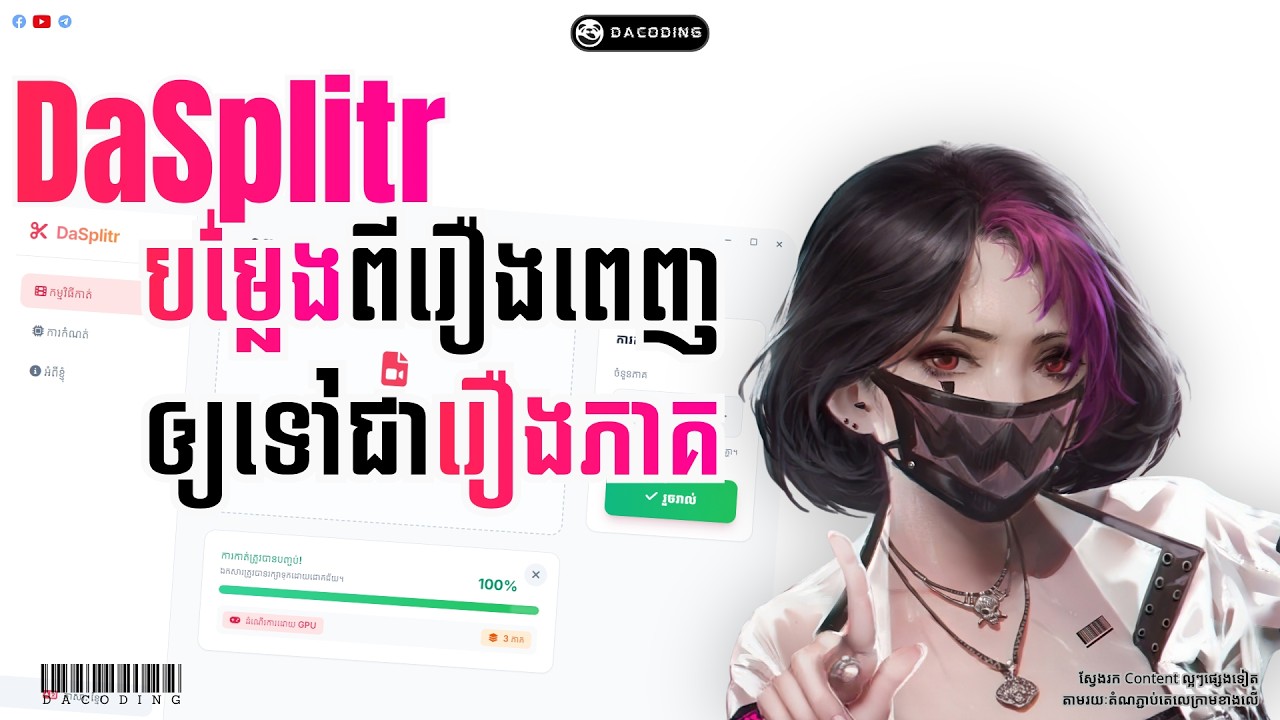
Meet DaSplitr —
your video splitting companion.

Another free tool by DaCoding. Works perfectly alongside DAI Dubber Pro.

DaSplitr Demo
Watch DaSplitr Demo
YouTube
✂️
Video Splitter

Have a long video and need to split it into separate parts? DaSplitr cuts your video into smaller, individually-named files — in just a few clicks, with no quality loss.

Split
🔗
EpsLink — Episode Merger

Have multiple video episodes you want combined into a single file? EpsLink merges them together in the correct order — perfect for series compilations, full-length episodes, or multi-part content.

Merge
🎁
Completely Free
Available on the DaCoding Telegram channel alongside DAI Dubber Pro.
Pricing

Simple, honest pricing.
Pay once. Own it forever.

No subscriptions. No monthly fees. No tricks. You pay once and get the software — plus every future update — for life.

Free Version
DAI Dubber
$0
Forever free
✓ Available now on Telegram
  • 🎙️AI Voice Generation (no auto detect gender)
  • ✨Auto-Transcription (limited languages: Khmer only)
  • 📄SRT Import & Export
  • ⏱️Basic Timeline Editor
  • 🎬Final Render & Export
  • 🔒PRO features not included
Download Free on Telegram
⭐ Best Value
PRO Version
DAI Dubber Pro 👑
Contact Us
One-time payment · No subscription
💬 Ask for pricing on Telegram
  • ✓All Free features included
  • ✓Full AI Voice Generation — Male & Female, all speeds
  • ✓9-Language Transcription — Khmer, English, Thai, Vietnamese & more
  • ✓Background Music Isolation
  • ✓Full Timeline Editor — Speed, Volume, Auto-Fit
  • ✓Text & Image Overlays, Blur/Censor, Crop & Flip
  • ✓Lifetime Updates — all future features included
  • ✓Priority support via Telegram
Ask for PRO Price on Telegram
🔒 Pay once, own forever. One-time payment — no recurring fees, no subscriptions. Every new feature we build is yours automatically.
♾️
Lifetime Access

Pay once and use the software forever. No expiry, no renewal, no surprise charges.

🔄
Free Lifetime Updates

Every future update and new feature is delivered to you automatically at no extra cost.

💬
Direct Support

Get personal help from the developer and admins directly on Telegram — fast and friendly.

🎁 Premium Bonus

Go PRO once —
unlock the whole toolkit.

Every DAI Dubber Pro license comes with a full suite of companion apps and web tools — included at no extra cost, with free updates.

👑 Included with PRO
✂️
DaSplitr PRO
Desktop App · v3.5.0 · Windows

Split, merge, and convert your videos in seconds. Cut long footage into individually-named parts, stitch multi-part episodes back together with EpsLink, and extract audio — all with no quality loss.

Video SplitterEpsLink MergerAudio Extract
👑 Included with PRO
📝
DAI-Transcribe
Web App · Works in any browser

Auto-extract and batch-transcribe audio into editable subtitles — powered by Gemini AI, with Khmer voice-profile tagging and one-click subtitle export. Perfect for preparing scripts before you dub.

Batch TranscribeGemini AIExport SRT
👑 Included with PRO
🎞️
DAI-Recap AI
Web App · Multi-language

Summarize and recap any story in multiple languages — including Khmer. Feed it video, audio, or subtitle files and let Google Gemini AI write the recap for you, ready to export as .SRT.

Video RecapKhmer TranslateExport .SRT
👑 Included with PRO
🎬
DissMov
Desktop App · Windows & macOS

A bonus companion app bundled free with your DAI Dubber Pro license — install it alongside the main app and enjoy it on both Windows and macOS, updates included.

100% FreeWindows & macOSIncluded Free
FAQ

សំណួរដែលសួរញឹកញាប់

Frequently asked questions — everything you need to know before getting started.

ចម្លើយ៖ បច្ចុប្បន្នគឺអាចកាត់ម្ដងបានរហូតដល់ ៩ ភាគ/វីដេអូ ក្នុងមួយវគ្គ — បើកជា Tab គម្រោងផ្សេងៗគ្នា ហើយថែមទាំងអាចដាក់ចូល Render Queue ឲ្យផលិតជាប់ៗគ្នាដោយស្វ័យប្រវត្តិទៀតផង។
ចម្លើយ៖ ទេ! គឺជាវតែម្ដង ប្រើប្រាស់បានរហូត — គ្មានការបង់ប្រចាំខែ ឬប្រចាំឆ្នាំឡើយ ហើយទទួលបាន Updates គ្រប់ជំនាន់នាពេលអនាគតដោយឥតគិតថ្លៃ។
ចម្លើយ៖ តម្រូវការអប្បបរមាមានដូចខាងក្រោម៖
🪟 Windows OS
  • Windows 10 / 11 (64-bit)
  • Storage នៅសល់ចាប់ពី 18GB ឡើងទៅ
  • RAM៖ 8GB ឡើងទៅ (16GB កាន់តែរលូន)
  • CPU៖ 4-core ឡើងទៅ
  • GPU មិនចាំបាច់ — ប៉ុន្តែបើមាន (NVENC/AMF/QSV) Render លឿនជាង ៥–១០ ដង
  • អ៊ីនធឺណិត សម្រាប់ Gemini AI Transcription
🍎 macOS
  • Storage នៅសល់ចាប់ពី 18GB ឡើងទៅ
  • RAM៖ 8GB ឡើងទៅ (16GB កាន់តែរលូន)
  • Chip M Series ឡើងទៅ (M1, M2, …, M5)
  • ណែនាំប្រើ CPU Mode សម្រាប់ Isolate BGM (ស្ថេរភាពជាង GPU/MPS)
ចម្លើយ៖ គឺអាចធ្វើបាន! គ្រាន់តែតម្លើង VoxCPM2 AI ចូលម៉ាស៊ីន — បន្ទាប់មកគឺអាចភ្ជាប់ជាមួយ DAI-Dubber PRO បានផ្ទាល់តែម្ដង។ អ្នកអាចបង្កើត Voice Profile ផ្ទាល់ខ្លួន និងកំណត់សម្លេង Clone ខុសៗគ្នាតាមតួអង្គនីមួយៗ រហូតដល់កម្រិតប្រយោគនីមួយៗទៀតផង។
ចម្លើយ៖ ដោយសារ VoxCPM2 ជា AI ដំណើរការក្នុងម៉ាស៊ីនផ្ទាល់ (Local) វាត្រូវការម៉ាស៊ីនខ្លាំងជាងធម្មតាបន្តិច៖
🪟 Windows OS
  • VGA៖ GTX 1060 Ti / RTX 2070 Ti, RTX 30 Series, RTX 40 Series, RTX 50 Series
  • VRAM៖ 8GB ឡើងទៅ
  • RAM៖ 16GB ឬ 32GB
  • SSD (ណែនាំ) សម្រាប់ផ្ទុក AI Model ដំណើរការលឿន
  • ដំណើរការ Local ទាំងស្រុង — សម្លេងមិនបញ្ជូនចេញក្រៅម៉ាស៊ីនឡើយ
🍎 macOS
  • RAM៖ 16GB ឬ 32GB ឡើងទៅ
  • Chip M1 PRO ឡើងទៅ (M1 Pro/Max, M2 Pro/Max, M3, M4 Series)
ចម្លើយ៖ ការបម្លែងជាអក្សរ និងបកប្រែដោយ Gemini AI ត្រូវការអ៊ីនធឺណិត (ប្រើ API Key ផ្ទាល់ខ្លួន)។ ចំណែក Whisper Transcription, VoxCPM2 Voice Clone, Isolate BGM និង Final Render — ទាំងអស់នេះដំណើរការក្នុងម៉ាស៊ីនផ្ទាល់ (Offline) បាន។
ចម្លើយ៖ គាំទ្រ ៩ ភាសា — ខ្មែរ, English, Spanish, French, Chinese, Japanese, Korean, Thai និង Vietnamese។ លើសពីនេះ ផ្ទាំងកម្មវិធីខ្លួនឯងក៏អាចប្ដូររវាង English ⇄ ខ្មែរ បានដោយប៊ូតុងតែមួយផងដែរ។
Get In Touch

Download free or
chat with us.

A free version is also available on our Telegram channel. Interested in the PRO version? Contact us — our admins are ready to help.

📢
Telegram Channel — DaCoding

Get the free version or learn about PRO. Stay updated with new releases and announcements from the developer.

👤
Developer: DaCoding

Built and maintained by a passionate solo Khmer developer. Questions about features, licensing, or custom builds? Just ask.

💬
Direct Admin Support

Reach the team admins directly on Telegram for fast personal replies — usually within a few hours.

DAI Dubber Pro 👑

Professional multi-language dubbing workspace.
Windows Desktop App · PRO & Free versions available.

Contact Us on Telegram
— or contact admins directly —
Official Telegram Channel
t.me/daidubberpro_official

Response time: usually within a few hours

Start dubbing like a pro.
In any language.

Get DAI Dubber Pro and start creating professional dubbed content in Khmer, English, Thai, Vietnamese and more — today.

Get DAI Dubber Pro
Windows Desktop App  ·  PRO & Free versions available